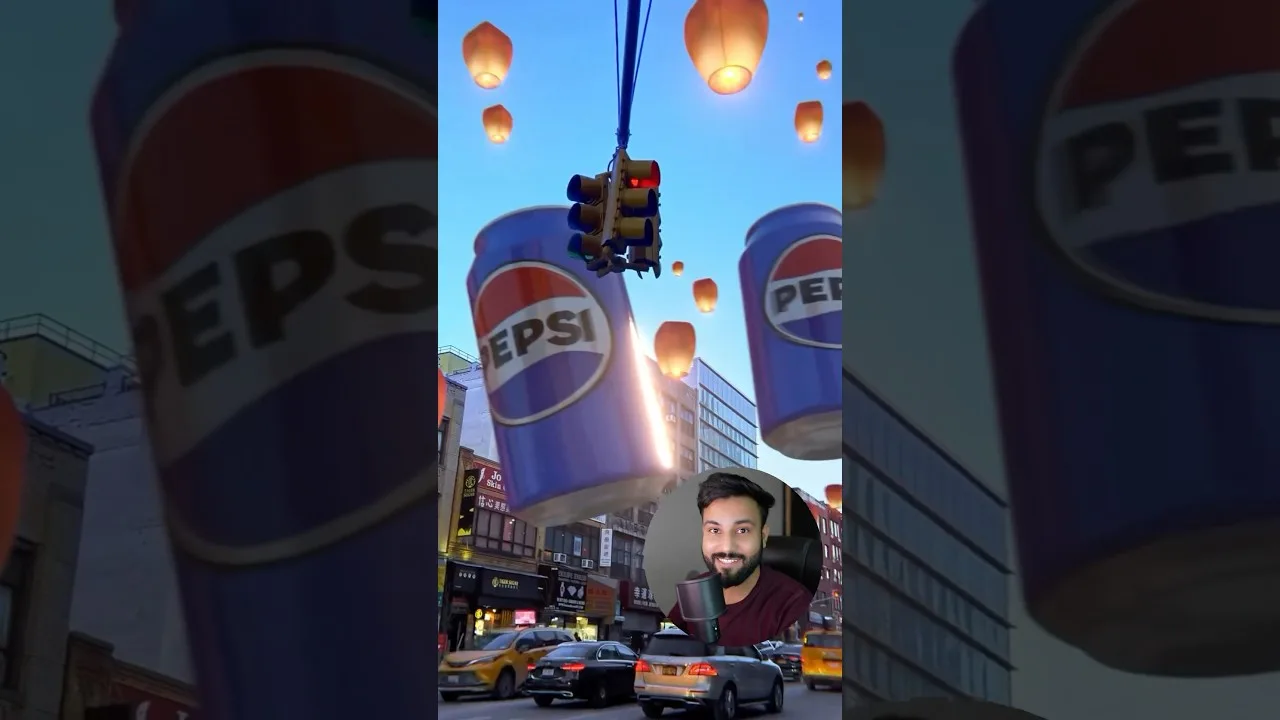
Product and Marketing Visuals With Dreamina AI
Marketing visuals decide whether a product is considered at all: the hero image earns the click, the lifestyle scene earns the desire, and the animated listing earns the pause in a scrolling feed. Dreamina AI for creators lets a one-person business produce all three without a studio, and this guide teaches the production method with the honesty rules that keep generated marketing an asset instead of a future refund.
The workflow runs: photograph the real product well, generate scenes around the truth, animate the strongest stills, and finish everything to the destination's shape. Each stage has one job, and the product's real appearance governs all of them.
Bring your best-selling product. Marketing method should be built where the revenue already is, so improvements are measurable from the first week.
Photograph the Product Like Evidence First
Every generated visual descends from your reference photography, so shoot it properly: plain background, soft even light, square-on angles, the details buyers ask about, all at the best quality your phone offers. The generator will stage your product in a palace or a forest, but it can only stage the product your reference actually shows.
Keep a reference set per product — front, three-quarter, detail, scale — refreshed whenever packaging changes. That set is the business's visual source of truth, and every campaign inherits it.
Hero Images: Clean, Large, Truthful
The hero image's job is recognition at thumbnail size: product large, background quiet, light honest. Generate it against simple scenes or clean surroundings, and resist atmospheric clutter — atmosphere belongs to the gallery images behind the hero, not in front of the buying decision.
Check the hero against the shelf item under neutral light: colour, proportions, logos, finishes. Where generation has improved the product past reality, that image is not marketing; it is a promise you will refund. Regenerate toward truth.
Lifestyle Scenes That Sell the Use
Scene images sell the life the product joins: the lamp in a dusk room, the bottle on a gym bench, the toy in a sunlit playroom. Use text-to-image with the product as reference, or animate from a staged still — either way, describe the scene's story in one sentence before generating, because marketing images with a story outperform marketing images with only a setting.
Build the standard set per product: hero, two lifestyles, one scale context, one detail close-up. That quintet answers the questions buyers actually bring, in the order they ask them. The relevant generation methods are in the Dreamina AI text-to-image guide and the image-to-video guide in this library.
Animated Listings and Social Cuts
Animate the strongest lifestyle still into a short listing video or social cut: camera push-in, light moving, steam or weather alive. Motion in a feed of stills is unfair advantage, cheaply bought, provided the product itself stays rigid and true while the world around it breathes.
Cut several lengths from the same generation session — the feed version, the story version, the listing version — while the recipe is warm. Marketing assets age by campaign, not by effort, and a warm recipe is a wasting asset if not harvested.
Campaigns: Seasonal Variations, Constant Product
Here generation pays its highest dividend: the same truthful product in spring light, festival colour, winter cosiness, generated in an afternoon instead of reshot in a studio. Campaign consistency — same product, same framing language, new season — is what makes a small brand look like a large one.
Maintain a campaign file per product: reference set, prompt recipes per scene type, the honesty-checked finals. Next season's campaign then starts from production, not from archaeology. The finishing and enlarging steps for print-grade campaign assets live in upscaling and enhancing images in Dreamina AI.
The Honesty Rules, Non-Negotiable
Never generate features, accessories, colours, or bundle contents the parcel will not contain. Never present generated scenes as photographs of real events, real customers, or real results. Follow your marketplace's and your jurisdiction's rules on AI imagery disclosure where they apply.
These are not constraints on the method; they are the method's licence to exist. One listing that deceives costs more — in returns, reviews, and account standing — than a studio would have.
Measure, Then Expand What Works
Track which visuals earn clicks and sales for a month before expanding the system to the whole catalogue. Marketing generation scales so easily that the temptation is volume; the discipline is to scale the proven treatment, not the unproven one.
When a treatment wins, write it down as the house recipe — scene sentence, style, shape, finishing steps — and let every new product inherit it. That document is the moment a solo seller acquires a visual department.
Photograph truthfully, stage generously, animate the strongest stills, and let the product in the picture be the product in the parcel. Inside those lines, generation gives a small business the visual range of a studio.
Begin with the best seller's standard set. Revenue is the fastest feedback a marketing method can earn, and yours is already flowing through that listing.
Review the catalogue's oldest visuals with your newest eyes once a season. The gap between what you accepted then and what you ship now is your progress in a form a graph cannot show, and refreshing the two weakest performers is the highest-return marketing work available to you that week.
Related Articles
How to Update Dreamina AI to the Latest Version
Update Dreamina AI on Android in place: check the version, keep your projects safe, verify with a familiar generation, and fix stalled updates.
Read More →
Dreamina AI Text-to-Image Guide: From Words to Pictures
Create images from text in Dreamina AI: prompt structure that works, style and ratio choices, and the iteration loop behind every good result.
Read More →
Dreamina AI Text-to-Video Guide: Your First AI Clips
Create video from text in Dreamina AI: prompts that describe motion, camera language, duration and ratio choices, and fixing clips that drift.
Read More →
Dreamina AI Prompt Tips for Better Results Every Time
Prompt craft for Dreamina AI images and video: ordering, specificity, negative guidance, style anchoring, and the iteration notebook that compounds skill.
Read More →
Image-to-Video in Dreamina AI: Animate Your Photos
Turn still photos into moving clips in Dreamina AI: which photos animate well, describing motion, keeping faces stable, and creative uses that work.
Read More →
Dreamina AI Canvas and Editing Tools Guide
Use the canvas editor in Dreamina AI: expand images, retouch regions, remove distractions, and blend generations into finished compositions.
Read More →
How to Upscale and Enhance Images in Dreamina AI
Upscale AI images for print and large screens: what enhancement can and cannot add, preparing files, checking results, and avoiding plastic over-processing.
Read More →
Dreamina AI for Social Media Creators: A Practical Workflow
A creator's workflow for Dreamina AI: series planning, covers that earn clicks, animated posts from stills, and batching a week of content in one sitting.
Read More →
Dreamina AI Credits Explained Simply
How credits work in AI generation apps like Dreamina AI: what consumes them, why video costs more than images, and habits that stretch a balance.
Read More →
Dreamina AI Video Not Generating? Fixes That Work
When Dreamina AI video generation fails, stalls, or returns errors: queue and connection checks, prompt causes, credit checks, and when to simply retry.
Read More →
Dreamina AI vs CapCut: Which Should You Use?
Dreamina AI generates footage; CapCut edits it. An honest comparison of generation versus editing, and the workflow that uses both in sequence.
Read More →
Dreamina AI on Low-End Phones: What to Expect
Use Dreamina AI on a budget Android phone: what runs on the service, what taxes your device, data and storage habits, and settings for smooth sessions.
Read More →
Dreamina AI Common Questions Answered
Plain answers about Dreamina AI: images versus video, credits, quality, rights, CapCut's role, and what to try when generations disappoint.
Read More →
How to Install Dreamina AI on Android Phones and Tablets
Learn how to install Dreamina AI on Android with simple steps, setup tips, and common checks before opening the app for the first time.
Read More →
Dreamina AI Features Guide for Android Users
Explore the main Dreamina AI features on Android, including prompt-based creation, image editing, and practical creative uses.
Read More →
Dreamina AI Device Compatibility Guide for Android Users
Find out which Android devices are best suited for Dreamina AI and what to check before installing the app on phones or tablets.
Read More →
Core Creative Functions in Dreamina AI Explained
Understand the main creative functions in Dreamina AI, from text prompts and image editing to visual drafting and design-focused use.
Read More →
Dreamina AI Not Working Common Problems and Fixes
Learn the common Dreamina AI problems on Android and the simple fixes that can help with installation, loading, and basic app performance.
Read More →
Best Ways to Use Dreamina AI on Mobile More Effectively
Discover practical ways to use Dreamina AI on mobile for better prompts, cleaner workflows, and more useful creative results.
Read More →